Lead management

Lead management systems and custom CRM that bring your platforms' leads into one inbox

Stop opening each platform to check for new leads. Leads from marketplaces and directories land in one inbox, with their source and replies attached.

Lead management

A lead management system collects every inbound lead from marketplaces, directories and other lead platforms into one inbox, so a sales team sees each enquiry once, replies from one place and knows where it came from. LNOKS builds these systems around the lead platforms a business already pays for: each platform is connected through its API, new leads land in a shared inbox as they arrive, and access is set per company and role. For InstantResponse, built for a US agency that runs lead generation for home-services businesses, we connected Yelp, Google LSA and Thumbtack, added replies from inside the platform and Stripe billing per connected source. A project starts with a call, then a scoped first release.

Sound familiar?

Where the work gets stuck.

  1. 01

    Leads come in on Yelp, Google LSA and Thumbtack, and someone opens each dashboard in turn to check for new ones.

  2. 02

    A lead goes missing between platforms, and nobody can say who saw it or whether anyone replied.

  3. 03

    Lead details get copied by hand from one platform into another before anyone calls the customer back.

  4. 04

    The lead budget is split across several platforms, and nobody can say which one actually brings in work.

  5. 05

    The lead tool already paid for is slow to load and clumsy to use, so the team works around it.

What we build

What we build.

  1. 01

    Collecting leads from marketplaces and directories

    Each platform that sends you leads is connected through its API, so every new enquiry lands in your own system as it arrives, with its source recorded.

    InstantResponse.ai Lead-source integrations and AI-assisted replies for a US home-services lead platform View case study
  2. 02

    One inbox for every lead source

    One place to read and answer leads from every channel, so the team replies from your system instead of logging in to each platform separately.

    InstantResponse.ai Lead-source integrations and AI-assisted replies for a US home-services lead platform View case study
  3. 03

    Routing, assignment and team access

    Rules for who sees and handles which lead, by company, team or role, so each lead reaches the right person and managers see the whole picture.

    InstantResponse.ai Lead-source integrations and AI-assisted replies for a US home-services lead platform View case study
  4. 04

    Billing per lead source

    If you resell lead handling to your own clients, charge them for each lead source they connect, so the billing follows what each client uses.

    InstantResponse.ai Lead-source integrations and AI-assisted replies for a US home-services lead platform View case study

How a project starts

Start with a conversation about the problem.

We first want to understand what is happening today. What follows depends on how clear the work already is.

  1. A conversation about the problem

    We start by understanding what happens today: how the work runs, which systems are involved and where it breaks.

  2. An assessment, if the scope is uncertain

    When several systems, unclear data or an undocumented process are involved, a short assessment maps the process, the risks and the options first.

  3. A focused first release

    When the workflow and systems are already clear, we agree a first result with acceptance criteria and start building it.

  4. Ongoing support

    After launch, we agree who fixes what, in which hours and how fast we respond.

Automation

Where automation helps.

Most of the work here is integration: every lead platform has its own API, data format and access rules, and the system turns them into one lead record. For InstantResponse that meant Yelp, Google LSA, Thumbtack, the WhatsApp API and Stripe. Automation fits after that, drafting a first reply or flagging a lead nobody answered, with a person deciding what goes out. We settle who holds each API key before the build.

Client reviews

What clients say about working with us.

Before you enquire

Frequently asked questions

A lead management system is software that collects leads from every platform a business uses into one inbox. Each lead keeps its source, its contact details and every reply sent to it. The team answers from one place instead of checking each marketplace or directory, and managers can see which leads are waiting and who is handling them.

Usually it sits in front of the CRM rather than replacing it. The lead system handles the first part: collecting leads from every platform, getting them to the right person and recording the first replies. The CRM keeps the customer relationship after that. If you have no CRM or barely use one, the lead system can take on that job too, with every reply kept against the lead, and we work out which way fits on the first call.

We have connected Yelp, Google LSA and Thumbtack in production for InstantResponse, alongside the WhatsApp API and Stripe. Other marketplaces, directories and form tools can be connected when they offer an API or another reliable way to receive leads. We check each platform's access rules and limits during scoping, before it goes into the plan. In EZBuild, a public lead API sends a contractor's website form enquiries straight into the product.

InstantResponse took 3 months to launch. Your timeline is set during scoping, once we know how many platforms, roles and billing rules the first release needs. We plan a first release that works on the platforms bringing you the most leads, show it to you regularly while it is built, and add further platforms afterwards. The estimate states the timeline before any build starts.

The first step is a call. We talk through where your leads come from today, who answers them and what a useful first release would include. The build is quoted after scoping, from that agreed list of platforms and features, so the price reflects your setup rather than a package.

Buy one if it already connects the platforms you rely on, loads fast enough for your team and fits how you sell. A custom system makes sense when the platforms that bring your leads are not covered, when the existing tool is too slow or clumsy to trust, or when you resell lead handling to your own clients and need billing per source.

Yes, access is set by company and by role. In InstantResponse each client company has its own users, and role-based access control decides what each user can see and change. The same approach lets a sales rep see only their own leads while a manager or business owner sees every lead across the team.

The code becomes yours on delivery, as the contract states. The lead data and the platform accounts stay with your business from the start. We recommend that the API key for each lead platform sits in an account you control, because an integration stops working if the account holding its key is closed or suspended.

After launch we agree support and the next features with you. A lead system needs ongoing care because the platforms it connects change their APIs without notice, and a change on their side can stop leads arriving. Support covers fixing those breaks quickly, adding new lead sources as your marketing changes, and the features your team asks for next.

Tell us where your leads come from.

On the first call we go through the problem, the systems involved and what a sensible first release would be.

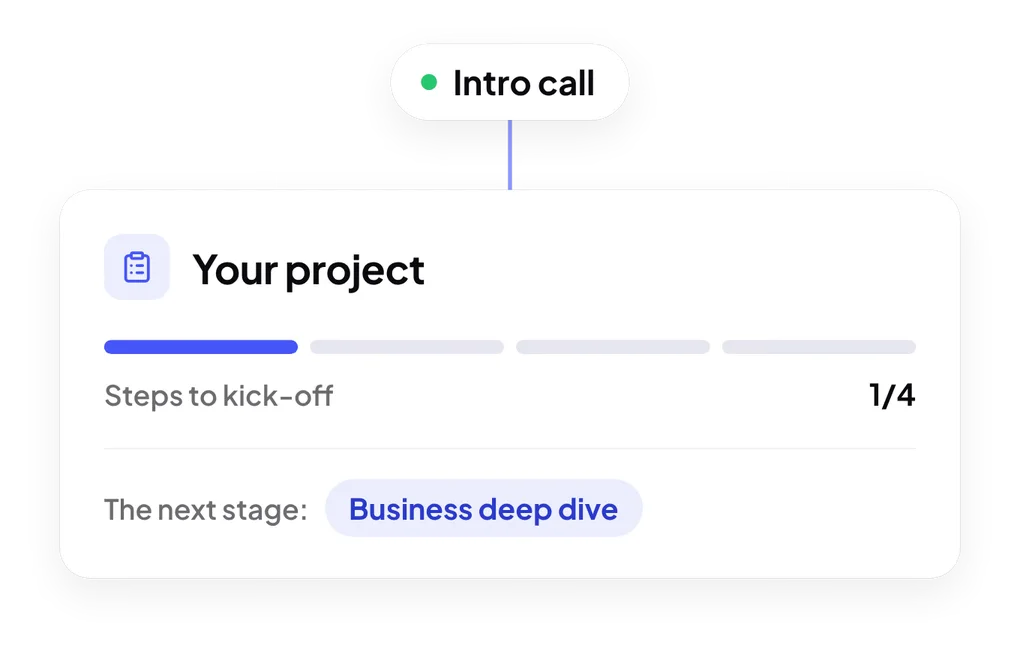
Steps to kick-off: intro call, business deep dive, proposal and discovery phase