Inventory and order management

Inventory and order management systems for businesses with several locations

Stock, orders and warehouses in one place: one live stock record for every shop and warehouse, so orders, transfers and dispatch work from the same numbers.

Inventory and order management

An inventory and order management system is one shared record of stock, orders and warehouses for businesses that sell or ship from more than one location. Every sale, return, transfer and dispatch updates the same stock figure, so shops, warehouses and head office stop reconciling separate spreadsheets. For a retail group in Germany, LNOKS built a platform that keeps stock in sync across its shops and warehouses, reserves orders against live inventory and gives each role its own dashboard with an audit trail. For Vernox, a family-owned business running several warehouses in California on Excel, we built multi-warehouse inventory, order management and QR scanning for receiving and dispatch. Projects start with a call, then a scoped first release.

Sound familiar?

Where the work gets stuck.

  1. 01

    Each shop and warehouse keeps stock in its own spreadsheet, so head office works from yesterday's numbers.

  2. 02

    A product sells out in one shop while the same item sits unsold in another.

  3. 03

    The web shop and the tills sell the same last unit twice.

  4. 04

    The Excel file behind several warehouses has grown so tangled that its numbers now mislead.

  5. 05

    Enterprise systems are beyond the budget, and off-the-shelf tools don't fit the way the warehouses work.

What we build

What we build.

  1. 01

    Inventory and warehouse management system

    One stock record for every product across all your locations, with low-stock alerts, permissions for each role and an audit trail of every movement.

    German retail group Inventory management platform for a German retail group View case study
  2. 02

    Order management

    Orders from every shop, warehouse and sales channel in one pipeline, each reserved against live stock as it comes in, so every channel sees what is already reserved. Customers and suppliers sit next to their orders.

  3. 03

    QR and barcode scanning for dispatch

    Items are scanned as they arrive and leave, so stock changes when goods move rather than when someone updates a sheet.

    qLoota Resource tracking and QR dispatch for a Finnish manufacturing consultant and his clients View case study
  4. 04

    Multi-warehouse setups

    Each warehouse keeps its own stock and way of working, and the owner sees every location in one view instead of phoning round for numbers.

    Vernox Custom warehouse management system for multi-location operations View case study

How a project starts

Start with a conversation about the problem.

We first want to understand what is happening today. What follows depends on how clear the work already is.

  1. A conversation about the problem

    We start by understanding what happens today: how the work runs, which systems are involved and where it breaks.

  2. An assessment, if the scope is uncertain

    When several systems, unclear data or an undocumented process are involved, a short assessment maps the process, the risks and the options first.

  3. A focused first release

    When the workflow and systems are already clear, we agree a first result with acceptance criteria and start building it.

  4. Ongoing support

    After launch, we agree who fixes what, in which hours and how fast we respond.

Automation

Where automation helps.

Much of the work is connecting the tools a business already runs. On the German retail platform we connected the existing point-of-sale and supplier data, so a till sale updates stock and low-stock alerts reach the people who reorder. A web shop, marketplace or accounting tool can be connected the same way, so nobody retypes figures between systems.

Client reviews

What clients say about working with us.

Before you enquire

Frequently asked questions

An inventory and order management system is software that keeps one live record of stock and orders across every shop, warehouse and sales channel. Each sale, return, transfer or dispatch updates the same figures, so staff stop reconciling spreadsheets. We build it around your own locations, roles and rules, with dashboards, low-stock alerts and an audit trail of every stock movement.

The first releases of the German retail platform and the Vernox warehouse system each took about 3 months. That release covers the flows your team uses every day. We agirst its scope after the first call, then add locations and features in later releases rather than building everything at once.

The first step is a call. We talk through how stock and orders move today, which systems are involved and what a useful first release would include. The build is quoted after that scoping, because the cost depends on your locations, flows and integrations rather than on a fixed package.

Off-the-shelf software is the better choice when your stock and order flows match what a standard tool already does, for example a single shop or warehouse with ordinary receiving and dispatch. Pay the subscription and keep your team's time. A custom system earns its cost when several locations follow their own rules, or when the tools you tried force workarounds in spreadsheets.

Yes, where those tools offer an API or a reliable export. The system works alongside the tools you already run rather than replacing all of them. On the German retail platform we connected the existing point-of-sale and supplier data, so sales update stock without anyone retyping them. We map each connection during scoping and include the ones your first release needs.

Yes, and it is often the safer route. The German retail platform was rolled out location by location, with staff trained at each site and the dashboard and alerts refined from shop-floor feedback. Starting with one site proves the stock model on real work before the rest of the network moves across.

It covers the warehouse side of a WMS: stock per location, transfers, and receiving and dispatch with QR scanning. It also holds orders, customers and suppliers, so the stock and the order that reserves it sit in one place. If you only need warehouse-floor functions, we scope the system down to those.

Your business does. The source code written for your system and the data in it belong to you, and there is no per-user or per-location licence for the software we build. If you later move development to another team or bring it in-house, the code and the data go with you.

After launch we agree the support and the next features your team needs. On the German retail platform, feedback from the shop floor shaped changes to the dashboard and the low-stock alerts. New locations, sales channels or integrations are scoped as further releases, each with clear acceptance criteria.

Tell us how stock and orders move today.

On the first call we go through the problem, the systems involved and what a sensible first release would be.

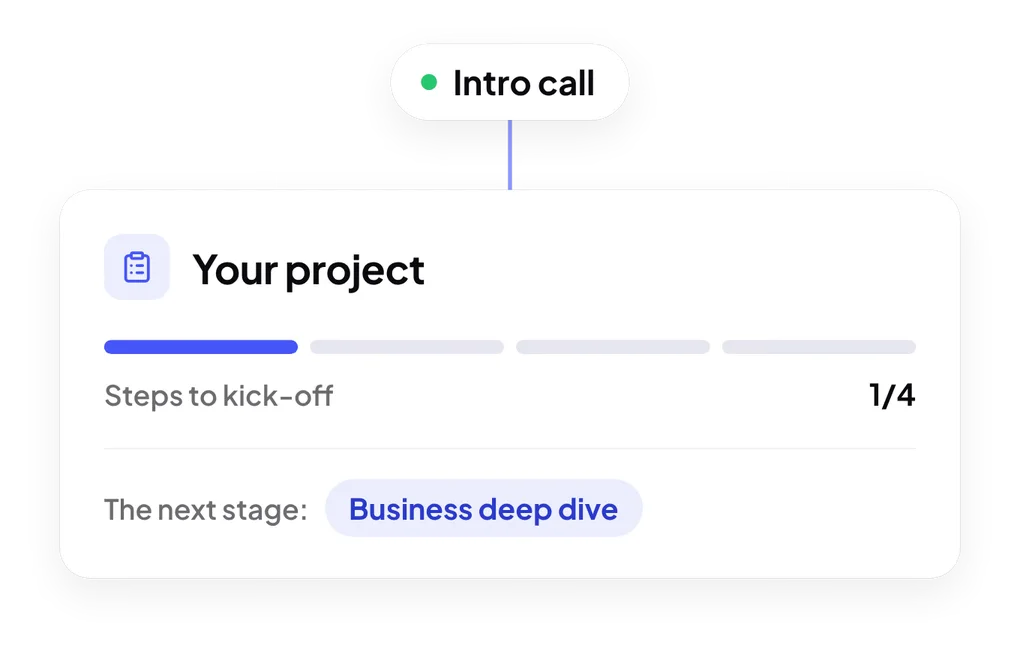
Steps to kick-off: intro call, business deep dive, proposal and discovery phase