System integration and automation

Connect the tools you already use, so nobody retypes data

System integration and workflow automation for growing companies. Shopify, your CRM, ERP, lead platforms and payments share each record, and failed transfers are flagged.

System integration and automation

System integration connects the tools a growing company already runs, such as a Shopify store, a CRM, an ERP, lead platforms and payments, so each record is entered once and reaches the next person who needs it. LNOKS agrees what each record means on both sides, maps the fields, checks data before it moves and shows a failed transfer to someone who can fix it. Workflow automation then sets who is assigned and who is notified. For InstantResponse, a lead platform for a US home-services marketing agency, we connected Yelp, Google LSA and Thumbtack into one platform, with replies sent from inside it and Stripe billing per source. A project starts with a call, then one named workflow.

Sound familiar?

Where the work gets stuck.

  1. 01

    Orders, enquiries or stock updates are typed from one system into another by hand.

  2. 02

    New leads arrive in several places, nobody is clearly responsible for them, and some simply disappear.

  3. 03

    A transfer between two systems fails, and nobody notices until a customer does.

  4. 04

    Reports are built by exporting and merging spreadsheets from different tools.

  5. 05

    A new sales channel would mean a second catalogue, or orders typed into Shopify by hand.

What we build

What we build.

  1. 01

    Shopify and CRM integration

    Products, stock and orders stay in your Shopify store while a new app or system reads from it and writes back, and each customer lands in the CRM your team already uses.

    Miraya Live Custom live shopping app connected to Shopify and CRM View case study
  2. 02

    Lead platforms and messaging

    Marketplaces, directories and messaging channels connected through their APIs, so every lead lands in one system with its source, and replies go out from there.

    InstantResponse.ai Lead-source integrations and AI-assisted replies for a US home-services lead platform View case study
  3. 03

    Workflow automation

    Rules for what happens after a record arrives: who is assigned, who is notified, what starts the next step and what each client is billed, written down and agreed.

    InstantResponse.ai Lead-source integrations and AI-assisted replies for a US home-services lead platform View case study
  4. 04

    Sync with your core system

    Records kept in step with the core system you run, with each record checked before it moves and failed transfers shown to someone who can fix them.

    ToBeModern Project and materials management for a furniture manufacturer View case study

How a project starts

Start with a conversation about the problem.

We first want to understand what is happening today. What follows depends on how clear the work already is.

  1. A conversation about the problem

    We start by understanding what happens today: how the work runs, which systems are involved and where it breaks.

  2. An assessment, if the scope is uncertain

    When several systems, unclear data or an undocumented process are involved, a short assessment maps the process, the risks and the options first.

  3. A focused first release

    When the workflow and systems are already clear, we agree a first result with acceptance criteria and start building it.

  4. Ongoing support

    After launch, we agree who fixes what, in which hours and how fast we respond.

Automation

Where automation helps.

Automation fits once the systems are connected and each record has an owner. It does a named job: assigning a new lead, notifying the person responsible, starting the next step when a status changes, or drafting a first reply that a person checks before it goes out. InstantResponse sends replies to Yelp, Google LSA and Thumbtack leads from one platform.

Client reviews

What clients say about working with us.

Before you enquire

Frequently asked questions

System integration means connecting the software a business already uses, so data entered in one tool reaches the others without anyone retyping it. For a growing company that usually means a Shopify store, a CRM, an ERP or accounting system, lead platforms and payments. Each connection agrees what a record means on both sides, checks the data before it moves and shows failed transfers to someone who can fix them.

Use a ready-made connector or a no-code automation tool when it already links the systems you need, copes with your volume and stays affordable. A custom integration makes sense when no connector covers one of your systems, when records need checking or reshaping before they move, or when a failed transfer has to reach a named person. We tell you which applies on the first call.

Yes, where each system offers an API. For Miraya, a German fashion manufacturer, products come from the brand's Shopify store, orders go back to Shopify for fulfilment, and each buyer and order is recorded in Miraya's CRM automatically. For an ERP, we first agree which system holds the master record for products, stock, prices and orders, which way each record moves, and what happens when the two disagree.

In delivered projects we have connected Yelp, Google LSA and Thumbtack for InstantResponse, with the WhatsApp API and Stripe in the same platform, and Shopify and Miraya's own CRM for Miraya Live. Other systems, including ERPs, accounting tools and marketplaces, can be connected when they offer an API or another reliable way to exchange data. We check each one's access rules and limits during scoping.

The timeline is set during scoping, once the systems, the records that move between them and the rules for failures are agreed. We start with one named workflow, such as new enquiries reaching your CRM with their source and an owner, and deliver that first, so someone on your team can run and check it without us. Further connections follow, and the estimate states the timeline before any build starts.

On the first call we talk through the workflow that costs your team the most time, the systems it touches and what a useful first result would look like. The build is quoted after scoping, from that agreed list of systems and rules, so the price reflects your setup rather than a package.

Automation helps with jobs that follow a rule: assigning a new lead, notifying the person responsible, starting the next step when a status changes, or drafting a first reply. A person stays in charge where judgement matters, such as what is sent to a customer or how a disputed order is put right. We agree each rule with the team that runs the process and show them how to check it.

Your data stays in your own systems, and your company owns the code. That is written into the contract before the build starts. We recommend that every API key and platform account sits in an account your business controls. An integration stops working if the account holding its key is closed or suspended, so we settle who holds each key before any connection is built.

After launch we agree support and the next connections with you. Integrations need ongoing care, because the platforms they connect change their APIs, sometimes without notice, and a change on their side can stop data moving. Support covers fixing those breaks and adding systems as the business changes. With Miraya the work continued: LNOKS now develops and maintains Miraya's own CRM.

Tell us which tools your team retypes data between.

On the first call we go through the problem, the systems involved and what a sensible first release would be.

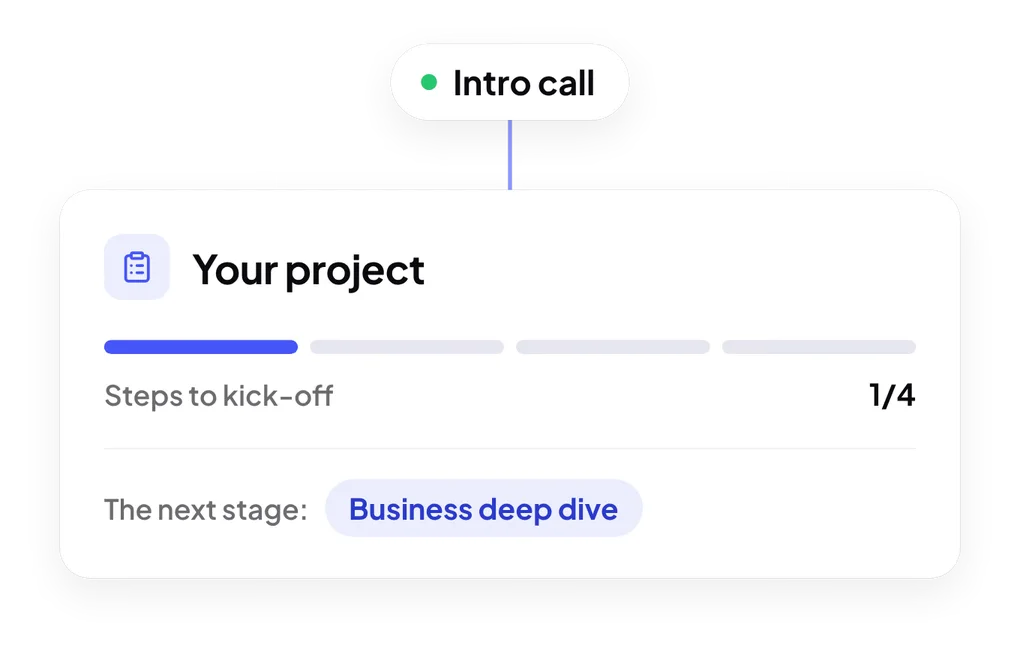
Steps to kick-off: intro call, business deep dive, proposal and discovery phase